What is Optical Mark Recognition (OMR)?
Optical Mark Recognition (OMR) is a technology that captures data from people by identifying markings on paper. This highly accurate recognition system is commonly used for collecting responses from "fill-in-the-bubble" formats found on student tests, surveys, ballots, evaluations, and many other types of forms.

Two Types of OMR: Hardware vs Software
There are two main approaches to OMR technology: traditional hardware-based systems and modern software-based solutions. Understanding the difference can save you thousands of dollars.
Hardware OMR: The Traditional Approach
Traditional OMR systems like Scantron and DARA use dedicated hardware scanners with specialized sensors. These machines work by:
- Light Projection: Projecting focused light beams onto the document surface.
- Light Sensor Detection: Using specialized optical sensors to measure reflected light. Marked bubbles reflect less light than unmarked ones.
- Hardware Processing: Processing the sensor data through dedicated circuits to determine which bubbles are filled.
- Data Output: Converting the results into digital data for storage and analysis.
The Cost Problem
Hardware OMR scanners are extremely expensive:
- Scantron scanners: $3,000 - $10,000+ per unit
- DARA scanners: $2,500 - $8,000+ per unit
- Plus ongoing maintenance, calibration, and repair costs
- Proprietary forms often required, adding recurring expenses
Software OMR: The Modern Solution
Software OMR solutions like FormRead use computer vision and image processing instead of specialized hardware. This revolutionary approach:
- Image Capture: Uses a regular camera (smartphone, tablet, or standard scanner) to capture an image of the form.
- Circle Detection: Computer vision algorithms detect the circles/bubbles on the form by analyzing shapes and patterns in the image.
- Pixel Analysis: The software counts black pixels inside each detected circle using a color threshold to convert color images to black and white.
- Mark Detection: If the number of black pixels exceeds a threshold (typically 30-40% of the circle area), the bubble is marked as filled.
- Data Extraction: Results are instantly extracted and exported to CSV, Excel, or via API.
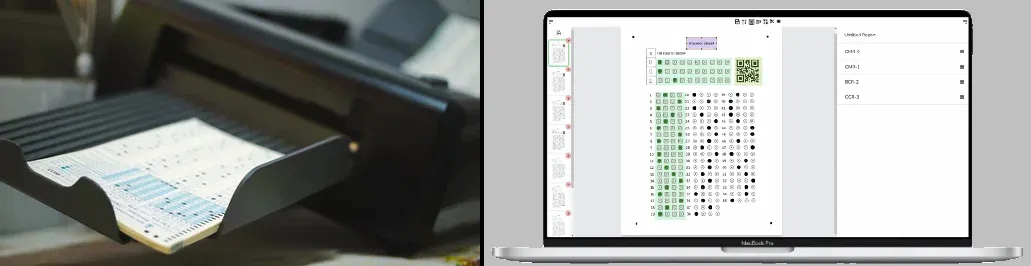
Hardware OMR vs Software OMR: Side-by-Side Comparison
| Feature | Hardware OMR (Scantron, DARA) | Software OMR (FormRead) |
|---|---|---|
| Initial Cost | $2,500 - $10,000+ | $0 - $23.95/month |
| Equipment Needed | Dedicated scanner machine | Smartphone, tablet, or regular scanner |
| Technology | Optical sensors & light detection | Computer vision & pixel analysis |
| Accuracy | 99%+ (with proper forms) | 99%+ (modern algorithms) |
| Form Requirements | Often requires proprietary forms | Any printed form works |
| Maintenance | Regular calibration & repairs needed | No maintenance required |
| Portability | Heavy, stationary equipment | Use anywhere with your phone |
| Setup Time | Hours (installation & calibration) | Minutes (web-based, instant) |
| Best For | Large institutions with dedicated budget | Everyone - schools, businesses, individuals |
The Bottom Line: Thanks to advances in computer vision and machine learning, software OMR now matches hardware OMR in accuracy while costing 100x less. The days of expensive dedicated scanners are over.
Common Applications of OMR Technology
Educational Testing
Teachers and schools use OMR to grade multiple choice exams instantly. Students fill in bubbles with pencil, and the forms are scanned to produce immediate results.
Surveys and Questionnaires
Market research, customer satisfaction surveys, and feedback forms use OMR to quickly collect and analyze responses from large groups of people.
Elections and Voting
Due to its extremely low error rate, low cost, and ease-of-use, OMR is a popular method of tallying votes in elections worldwide.
Attendance Tracking
Schools, training programs, and events use OMR forms to efficiently record attendance for large groups.
Health Assessments
Medical facilities use OMR for patient intake forms, health screenings, and research data collection where accuracy is critical.
Why Choose Software OMR (FormRead)?
Massive Cost Savings
Save thousands of dollars. No expensive scanner needed - just use your existing smartphone or regular office scanner.
Equal Accuracy
Modern computer vision algorithms achieve 99%+ accuracy, matching expensive hardware scanners at a fraction of the cost.
Ultimate Flexibility
Create any form you want with our drag-and-drop editor. No proprietary forms required - print on any standard paper.
Process Anywhere
Scan forms in the classroom, at events, or on the go. No need to transport papers to a stationary scanning station.
FormRead Features:
- Create custom OMR forms with an intuitive drag-and-drop editor
- Process forms using your smartphone, tablet, or scanner
- Computer vision algorithms detect circles and analyze pixel density
- Automatically extract and export data to CSV or Excel
- Combine OMR with OCR and barcode reading on the same form
- Web-based solution - no software installation required
- API integration for enterprise workflows
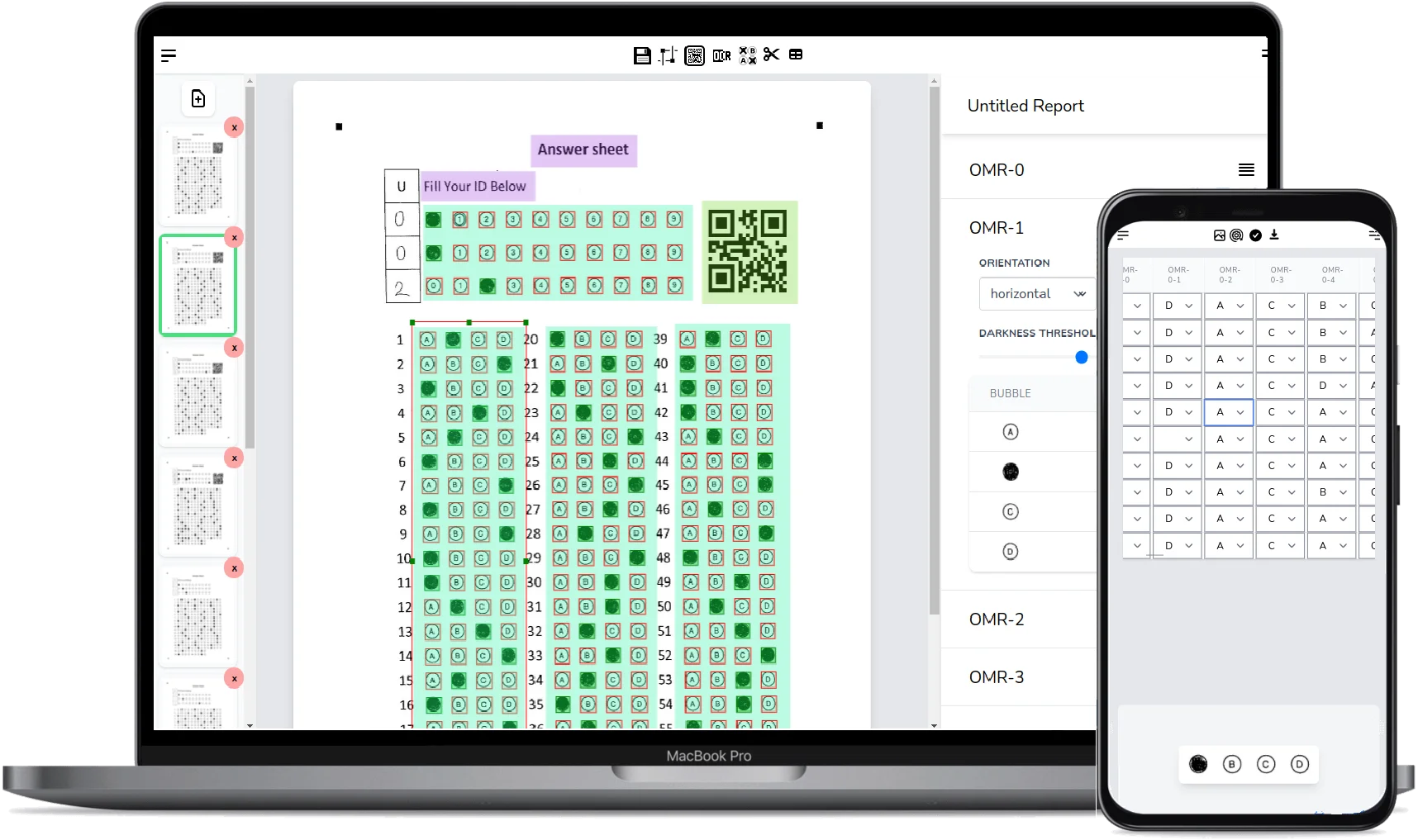
Getting Started with FormRead
Ready to try software OMR? Get started in minutes:
Design your form: Use our drag-and-drop editor to create a custom OMR form or download one of our templates.
Print and distribute: Print your forms on standard paper and distribute them to respondents.
Collect responses: Have respondents fill in the bubbles with a #2 pencil or dark pen.
Scan with your phone: Use FormRead's camera feature or upload scanned images. Our computer vision algorithms will detect and analyze the marks.
Export and analyze: Download your data in CSV or Excel format for further analysis.
Pro Tip
For best results, ensure good lighting when scanning and use high-contrast marks (dark pencil or pen on white paper). FormRead's intelligent algorithms can handle various lighting conditions, but clear contrast improves accuracy even further.
Conclusion
The choice between hardware and software OMR is clear: modern software solutions like FormRead deliver the same accuracy as expensive scanners at a fraction of the cost.
Whether you're a teacher grading exams, a business conducting surveys, or an organization collecting any structured data, FormRead makes OMR technology accessible to everyone - no $5,000 scanner required.
Frequently Asked Questions
What is Optical Mark Recognition (OMR)?
OMR is a technology that reads human-marked data from paper forms - typically filled-in bubbles on multiple-choice sheets, surveys, and ballots. It doesn't read text, only the presence or absence of a mark.
What is the difference between OMR and OCR?
OMR detects whether a bubble or checkbox is filled in; it doesn't interpret characters. OCR (Optical Character Recognition) reads printed or handwritten text. Modern platforms like FormRead combine both on the same sheet.
Do I need a Scantron or dedicated OMR scanner?
No. Dedicated hardware used to be the only option, but software OMR now matches its accuracy (99%+) using computer vision on regular camera or scanner images. A smartphone or office scanner is enough.
How accurate is software OMR compared to hardware scanners?
Modern algorithms reliably reach 99%+ accuracy on well-lit, high-contrast sheets - the same range cited by Scantron and DARA hardware. Accuracy is limited far more by marking quality and image contrast than by the technology.
How much does software OMR cost vs hardware OMR?
Hardware OMR scanners cost $2,500-$10,000+ plus proprietary forms and maintenance. Software OMR is subscription-based (FormRead starts free) and works with any paper you print yourself - a hundredfold cost gap for comparable accuracy.
Where is OMR used?
Most commonly: multiple-choice exam grading, employee and customer surveys, elections, attendance tracking, health screenings, and any structured form where answers need to be digitized at scale.
Stop grading forms by hand.
Put FormRead to work now: create your form, scan your first sheet, and get structured results in minutes.
Start now — no credit card required