Bubble Sheet Scanner Tools: The Definitive Guide (Free & Professional)
 Oscar Munoz
·
·
8 min read
Oscar Munoz
·
·
8 min read
A bubble sheet scanner reads the filled-in bubbles on multiple-choice answer sheets and turns them into digital data - grades, survey tallies, attendance records - in seconds instead of hours. For decades that meant buying a dedicated machine; today it can mean nothing more than the phone in your pocket. This guide walks through every type of bubble sheet scanner available, what actually matters when choosing one, and how the free and professional options honestly compare.

What Is a Bubble Sheet Scanner?
A bubble sheet scanner - also called an answer sheet scanner or OMR sheet reader - is any tool that detects which bubbles have been marked on a printed form. The underlying technology is optical mark recognition (OMR): the scanner locates each bubble position, measures how dark it is, and decides whether it counts as filled. If an answer key is attached, the tool also grades each sheet automatically.
If you want the deeper technical story of how mark detection actually works - light sensors versus computer vision and pixel analysis - we cover it in our guide to what optical mark recognition is and how it works. For choosing a scanner, you only need to know one thing: there are two fundamentally different categories of tool, and the price gap between them is enormous.
Hardware vs Software Bubble Sheet Scanners
Dedicated OMR hardware
Hardware scanners - the Scantron machines most people picture - are purpose-built devices that feed sheets past optical sensors. They are fast and reliable at high volume, but Scantron-class hardware costs thousands of dollars per unit, needs maintenance and calibration, usually requires proprietary pre-printed forms that you must keep buying, and sits in one room. If a sheet is printed slightly off-spec, the machine rejects it.
Software bubble sheet scanners
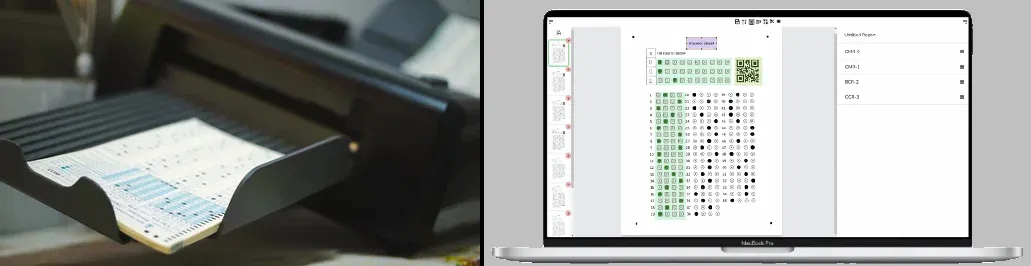
Software scanners replace the sensors with computer vision. You photograph or scan the sheet with any camera or office scanner, and algorithms locate the bubbles in the image and analyze the pixels inside each one. Because the "scanner" is just software, it runs on hardware you already own, works with forms you design and print yourself on plain paper, and can grade a photo taken with a phone in the classroom. Modern computer-vision pipelines match hardware accuracy under reasonable scanning conditions.
What to Look For in a Bubble Sheet Scanner
Whether you are grading weekly quizzes or processing thousands of survey forms, the same five criteria separate a good answer sheet scanner from a frustrating one:
Accuracy
The tool must reliably distinguish filled, partially erased, and empty bubbles. Look for adjustable detection thresholds and a review screen where you can verify uncertain marks before exporting.
Phone and scanner support
A tool that accepts a smartphone photo lets you grade at your desk, in the classroom, or in the field. Support for regular flatbed and document scanners matters for batch processing.
No proprietary forms
If the tool only reads its own pre-printed sheets, you pay forever. The best options let you design your own layout - or use a free template - and print on any paper.
Export and integration
Results locked inside an app are half-useless. Insist on Excel/CSV export, and if you have a developer workflow, a REST API for automated processing.
Price
The range is extreme - from completely free web tools to five-figure hardware installations. Match the cost to your real volume, not to a worst-case scenario.
Free vs Professional Bubble Sheet Scanners: Honest Comparison
There is no single best tool for everyone, so here is a factual comparison of the main options people actually consider - a mobile grading app (ZipGrade), professional desktop software (Remark Office OMR), traditional hardware (Scantron), and a free web-based scanner (FormRead).
| Criteria | ZipGrade (mobile app) | Remark Office OMR (desktop) | Scantron (hardware) | FormRead (web) |
|---|---|---|---|---|
| Type | iOS/Android app | Windows desktop software | Dedicated scanning machine | Web app - works in any browser |
| Scanning device | Phone camera only | Any image scanner | Its own hardware only | Phone, tablet, or any scanner |
| Forms | Preset layouts plus a form designer | Design your own in Word or similar | Proprietary pre-printed sheets | Custom drag-and-drop editor, plain paper |
| Beyond bubbles | Multiple-choice grading focus | OMR plus OCR and barcodes | Marks only | OMR, OCR, barcodes/QR, AI grading of written answers |
| Export | CSV/PDF reports | Extensive export and reports | Depends on model/software bundle | Excel/CSV plus REST API |
| Typical cost | Free tier limited; paid subscription for full use | Professional license costing over a thousand dollars | Thousands of dollars plus recurring form costs | Free to start, no hardware to buy |
| Best for | Teachers grading quizzes on a phone | Organizations with Windows PCs and budget | Institutions with very high standardized volume | Anyone wanting free, flexible scanning on any device |
A fair summary: ZipGrade is a solid choice if you only ever grade from a phone and its layouts fit your tests. Remark Office OMR is powerful, mature professional software - if you have a Windows machine, a document scanner, and the budget for a professional license. Scantron hardware still makes sense for institutions running huge volumes of standardized sheets. FormRead's niche is being free and web-based: it runs in any browser, accepts phone photos and scanner images alike, reads bubbles alongside text, barcodes, and AI-graded written answers, and never requires proprietary forms.
FormRead is a free bubble sheet scanner that runs in your browser - design a sheet, print it, and grade it with your phone in the next ten minutes.
Start using FormRead freeMake your answer sheet in a minute
The range is extreme - from completely free web tools to five-figure hardware installations. Match the cost to your real volume, not to a worst-case scenario.
How to Scan and Grade Bubble Sheets with FormRead (Step by Step)
Here is the complete workflow, from blank page to Excel gradebook. No installation, no special hardware.
-
1
Create your answer sheet: Open the FormRead editor and drag bubble groups onto the page - one row per question, or ID grids for student numbers. In a hurry? Grab one of our free OMR answer sheet templates, or build one yourself following our tutorial on creating an OMR sheet in Microsoft Word and import it.
-
2
Set the answer key: Mark the correct option for each question so grading happens automatically, and assign point values if questions are weighted differently.
-
3
Print and administer: Print the sheet on standard paper - any home or office printer works. Students fill in bubbles with a #2 pencil or dark pen.
-
4
Scan the completed sheets: Photograph each sheet with your phone camera directly in the browser, or upload images from a flatbed or document scanner. Batches are processed in one go.
-
5
Review and export: Check the results table, correct any bubble the scanner flagged as uncertain, then export everything to Excel or CSV - or pull the results into your own system through the REST API.
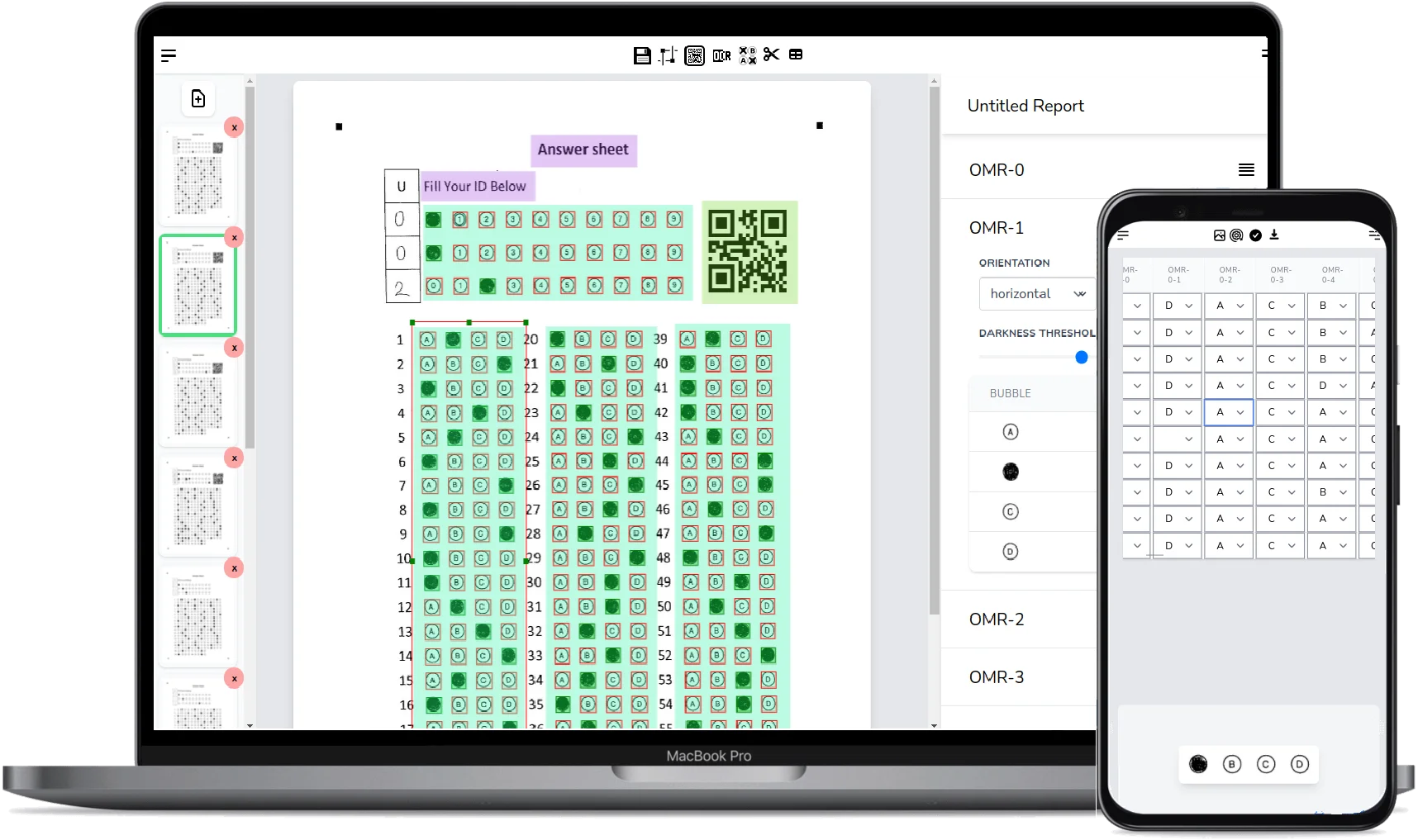
Phone photos grade just as accurately as scanner images if you follow three habits: lay the sheet flat on a contrasting surface, shoot from directly above so the page is not skewed, and avoid shadows falling across the bubbles. The corner anchor markers on FormRead sheets correct moderate tilt automatically, but a clean, well-lit photo removes any doubt.
So Which Bubble Sheet Scanner Should You Choose?
If you already own Scantron hardware that works, keep using it until the maintenance bill argues otherwise. If you grade exclusively from a phone and preset layouts suit you, a mobile grader app is fine. But if you want an answer sheet scanner that costs nothing to try, works with a phone and a scanner, lets you design any form you can imagine, and exports straight to Excel, CSV, or an API - start with a free web-based OMR sheet reader and only pay for professional tools when your volume genuinely demands it.
The technology that used to require a five-figure machine now runs in a browser tab. The only thing left to test is whether it fits your workflow - and testing it is free.
Bubble Sheet Scanner FAQ
What is a bubble sheet scanner?
A bubble sheet scanner is a tool that reads the filled-in bubbles on multiple-choice answer sheets using optical mark recognition (OMR). It can be a dedicated hardware machine like a Scantron, or software that analyzes an image of the sheet taken with a phone camera or regular scanner and grades it against an answer key.
Can I scan bubble sheets with my phone?
Yes. Software-based scanners like FormRead use computer vision to read a photo of the sheet, so a smartphone camera works as the scanner. Lay the sheet flat, shoot from directly above in good light, and the marks are detected and graded automatically in your browser.
Is there a free bubble sheet scanner?
Yes. FormRead is a free web-based bubble sheet scanner: you design your own answer sheet in a drag-and-drop editor, print it on plain paper, scan completed sheets with a phone or scanner, and export graded results to Excel or CSV without buying any hardware.
Do I need special paper or proprietary forms?
Not with software scanners. Hardware systems like Scantron typically require proprietary pre-printed forms, which is a recurring cost. Software OMR tools read forms you design and print yourself on any standard paper with a normal printer.
How accurate are software bubble sheet scanners compared to hardware?
Under reasonable scanning conditions, modern computer-vision OMR matches dedicated hardware. Accuracy depends mostly on image quality: flat sheets, good lighting, and dark marks. Good software also flags uncertain bubbles for quick human review before you export the results.
Can I export scanned results to Excel or connect a bubble sheet scanner to my own software?
Good tools export to Excel or CSV as a baseline. FormRead additionally offers a REST API, so you can send scanned form images from your own application and receive graded results back as structured JSON for fully automated workflows.