
The Free Scantron Alternative: Scan and Grade Any Answer Sheet
 Oscar Munoz
·
·
7 min read
Oscar Munoz
·
·
7 min read
For decades, "Scantron" has been shorthand for machine-graded tests. But the model behind it - a dedicated scanning machine, proprietary answer sheets you have to keep buying, and a service contract to keep it all running - belongs to a different era. Today, a free Scantron alternative like FormRead does the same job with equipment you already own: a phone or any office scanner, plain printer paper, and a web browser.
This guide explains why so many teachers and schools are looking for an alternative, what modern software OMR actually does, how the options stack up side by side, and how to switch from Scantron to FormRead in a single afternoon.
Why Teachers Are Looking for a Scantron Alternative
Scantron-class equipment does its job well, but the total cost of ownership adds up in four distinct ways:
- Hardware: dedicated OMR scanners in this class typically cost thousands of dollars per unit, often several thousand for higher-throughput models.
- Proprietary forms: the machines are designed to read specific pre-printed answer sheets, which schools must purchase again and again - a recurring per-form cost that never goes away.
- Maintenance: rollers, sensors, and calibration all need periodic service, and a broken machine can leave a whole department unable to grade.
- It never leaves the building: the scanner is stationary equipment, usually locked in one office, so grading means physically carrying stacks of sheets to wherever the machine lives.
For a large testing center running tens of thousands of sheets a week, that trade-off can still make sense. For an individual teacher, a small school, or anyone who wants to grade tests without Scantron hardware at all, it usually does not.
What a Modern Software Alternative Does Instead
Software OMR replaces the optical sensors of a dedicated machine with computer vision. Instead of feeding special forms through a scanner, you photograph or scan an ordinary printed sheet, and algorithms locate the answer grid, detect each bubble, and measure how filled it is. If you want the full technical background, our guide to what optical mark recognition is and how it works covers the hardware-versus-software question in depth.
In practice, that means a free Scantron alternative for teachers looks like this: you design a bubble sheet in a web editor (or download a ready-made one), print it on plain paper on any printer, hand it out, and then scan the filled sheets with your phone camera or a regular office scanner. The software grades against your answer key instantly and exports the results to Excel or CSV. FormRead adds a REST API for schools that want to automate grading, and AI grading for open-ended, written answers on the same page.
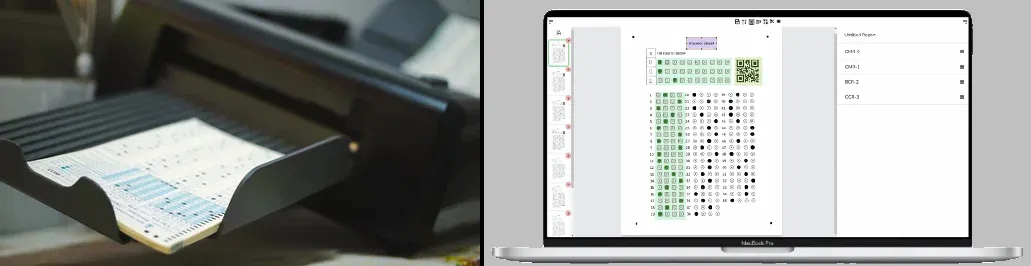
Scantron vs FormRead: Side-by-Side Comparison
| Feature | Scantron-class hardware | FormRead (software OMR) |
|---|---|---|
| Upfront cost | Thousands of dollars per machine | Free to start |
| Per-form cost | Recurring purchases of proprietary answer sheets | The cost of plain printer paper |
| Hardware needed | Dedicated, stationary scanning machine | Any smartphone, tablet, or office scanner |
| Phone scanning | Not possible | Yes - grade from the classroom |
| Form flexibility | Fixed layouts tied to the machine | Design any layout in a drag-and-drop editor, mix bubbles with text and barcodes |
| Setup time | Procurement, installation, and staff training | Minutes - it runs in the browser |
| Export options | Depends on the model and bundled software | Excel and CSV, ready for any gradebook |
| API access | Not typical | REST API for automated, server-side grading |
You can build a bubble sheet and grade a test photo in the next ten minutes - no credit card, no hardware, no proprietary forms.
Start using FormRead freeHow to Switch from Scantron to FormRead in an Afternoon
Switching does not require migrating data or retraining a department. Here is the whole process:
-
1
Pick or design an answer sheet: Recreate your current Scantron layout in the drag-and-drop editor, or start from one of our free OMR answer sheet templates - they are ready to print and scan.
-
2
Print on plain paper: Any printer, any standard paper. No proprietary stock, no ordering forms weeks ahead of exam day. If you prefer building sheets in Word, follow our tutorial on creating an OMR answer sheet in Microsoft Word.
-
3
Set your answer key: Mark the correct answers once in the editor so every scanned sheet is graded automatically against it.
-
4
Give the test and scan the sheets: Photograph each filled sheet with your phone right at your desk, or feed the whole stack through any office scanner and upload the images in batch.
-
5
Export the grades: Download results as Excel or CSV and import them into your gradebook or LMS. Schools with a developer on hand can pull the same results over the REST API instead.
Run one pilot test before exam week: print ten sheets, have colleagues fill them in sloppily on purpose, and scan them in classroom lighting. You'll confirm the accuracy for yourself and iron out any layout tweaks while the stakes are low.
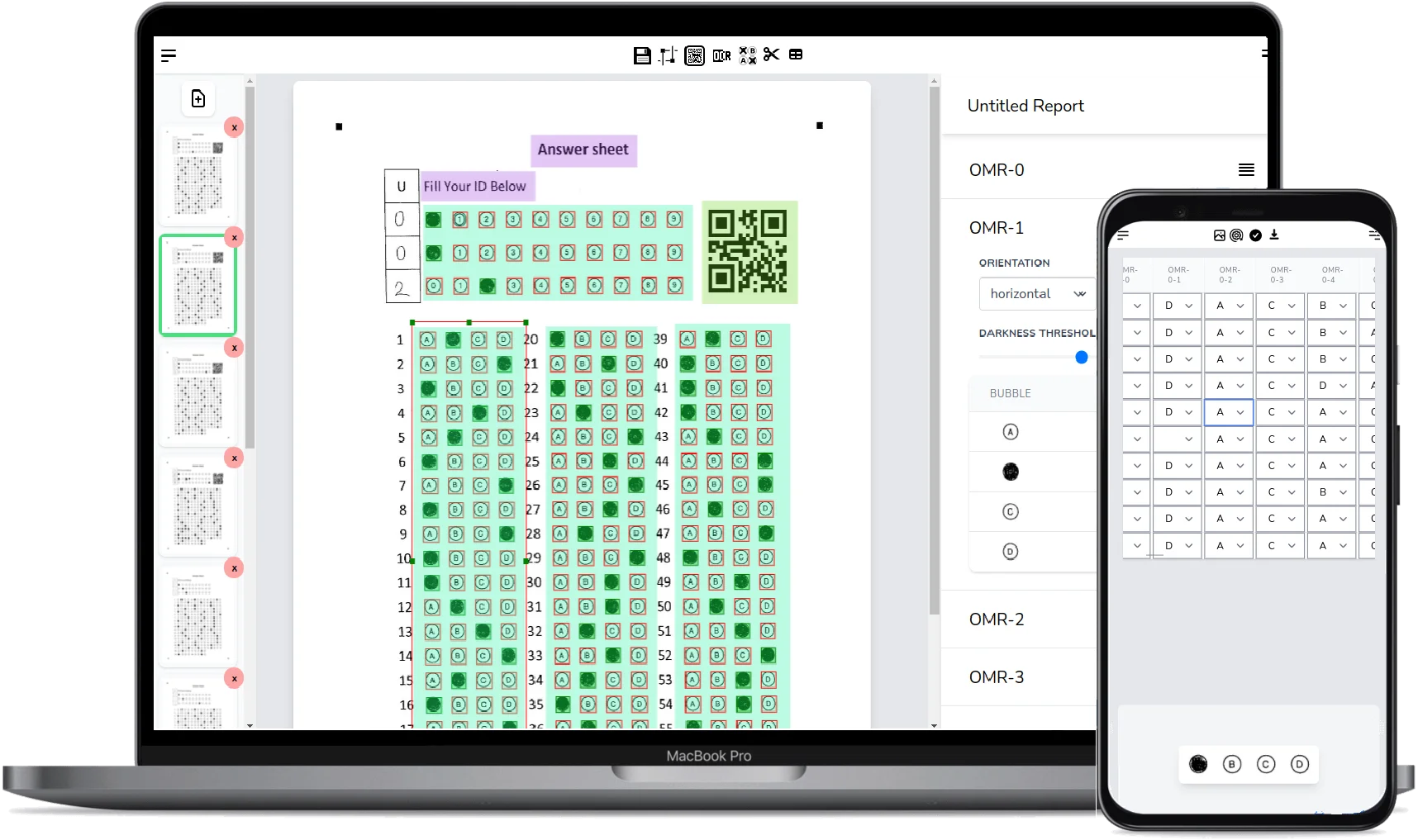
Make your answer sheet in a minute
No need to buy pre-printed forms: design your own bubble sheets in the free answer sheet generator and print them on plain paper.
Other Scantron Alternatives Worth Knowing About
FormRead is not the only software route away from dedicated hardware. Depending on your situation, these tools are also worth a look:
ZipGrade
A popular mobile app for teachers: you print ZipGrade's answer sheets and grade them with your phone camera. It is fast and classroom-friendly, with a free tier limited to a set number of scans per month and a paid subscription for unlimited grading. Its sheets come in fixed layouts, so it fits standard quizzes better than custom form designs.
GradeCam
A school-oriented platform that grades bubble sheets through a webcam or document camera and integrates with gradebooks and LMS platforms. It is subscription-based and typically purchased at the teacher, school, or district level, which makes it a strong fit for institutions that want rostering and reporting built in.
Akindi
Aimed mainly at higher education, Akindi lets instructors print bubble sheets on plain paper and process them through a regular scanner or copier, with LMS integrations for syncing grades. It is a paid product, commonly licensed by colleges and universities rather than individual teachers.
All three are legitimate ways to grade tests without Scantron hardware. Where FormRead stands apart is the combination of a free tier, a fully custom form designer rather than fixed layouts, scanning from either a phone or any office scanner, and a REST API plus AI grading of written answers - which matters if your forms include more than bubbles, or if you want grading wired into your own systems.
The Bottom Line
A Scantron machine solves a problem most teachers no longer have: scanning enormous volumes of identical forms in one central location. For everyone else, software OMR delivers the same automatic grading with zero hardware cost, zero proprietary forms, and the freedom to grade wherever the tests are. Print on plain paper, scan with the phone in your pocket, and export to Excel - that is the whole workflow.
Frequently Asked Questions About Scantron Alternatives
Is FormRead really a free Scantron alternative?
Yes. You can design answer sheets, scan them with a phone or any office scanner, auto-grade against your answer key, and export results to Excel or CSV without buying any hardware or proprietary forms. Paid plans exist for higher volumes, but the core grading workflow is free.
Can I grade tests without a Scantron machine at all?
Yes. Software OMR uses computer vision instead of optical sensors, so any smartphone camera or ordinary office scanner can capture the filled sheets. There is no dedicated machine anywhere in the workflow.
Do I need special paper or proprietary answer sheets?
No. FormRead reads forms you print yourself on plain printer paper. You can design your own layout in the web editor, download a free template, or even build a sheet in Microsoft Word.
How does FormRead compare to ZipGrade, GradeCam, or Akindi?
All of them replace Scantron hardware with software. ZipGrade and GradeCam are strong for classroom quizzes on their standard sheets, and Akindi targets higher education with LMS integrations. FormRead combines a free tier, a fully custom form designer, phone and scanner input, Excel and CSV export, a REST API, and AI grading of written answers.
How accurate is scanning with a phone compared to a Scantron machine?
On clearly marked sheets, modern computer vision reaches accuracy comparable to dedicated hardware. Good lighting and dark, fully filled bubbles are the main factors, and a short pilot test will confirm the accuracy on your own forms before exam day.
Can I export grades to Excel or my gradebook?
Yes. Results export to Excel or CSV, which imports into any gradebook or LMS. Developers can also fetch the same results as JSON through the REST API for fully automated grading pipelines.