AI proctoring that runs on the candidate's device, not in our cloud
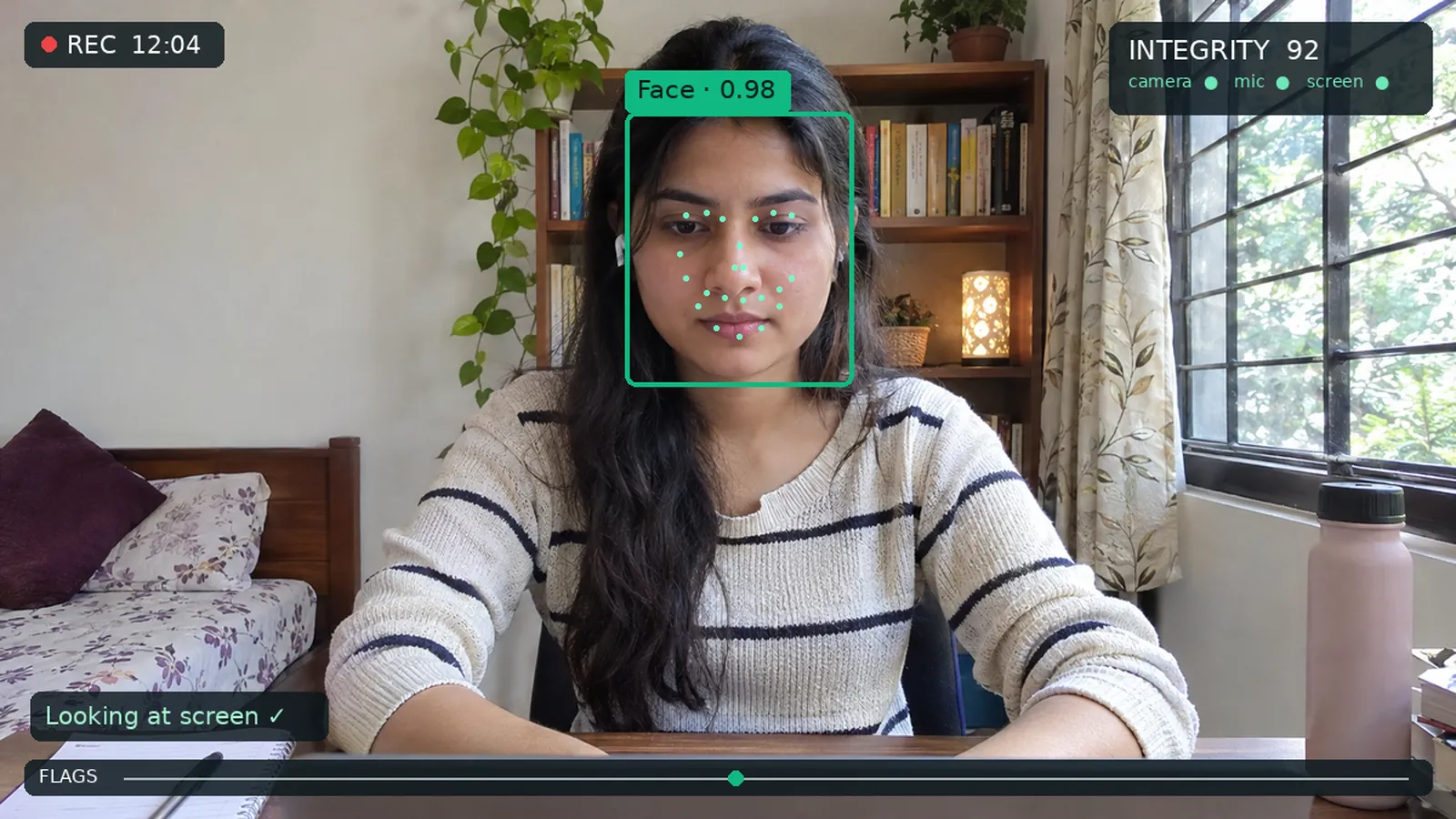
Face, phone and voice checks happen in the browser. Only flagged moments are uploaded. Teachers and recruiters get clear evidence to review, not automatic verdicts.
Included in every plan. No per-exam fee, no extension to install.
How on-device proctoring works
Three layers keep it accurate, private and cheap.
1. On the device
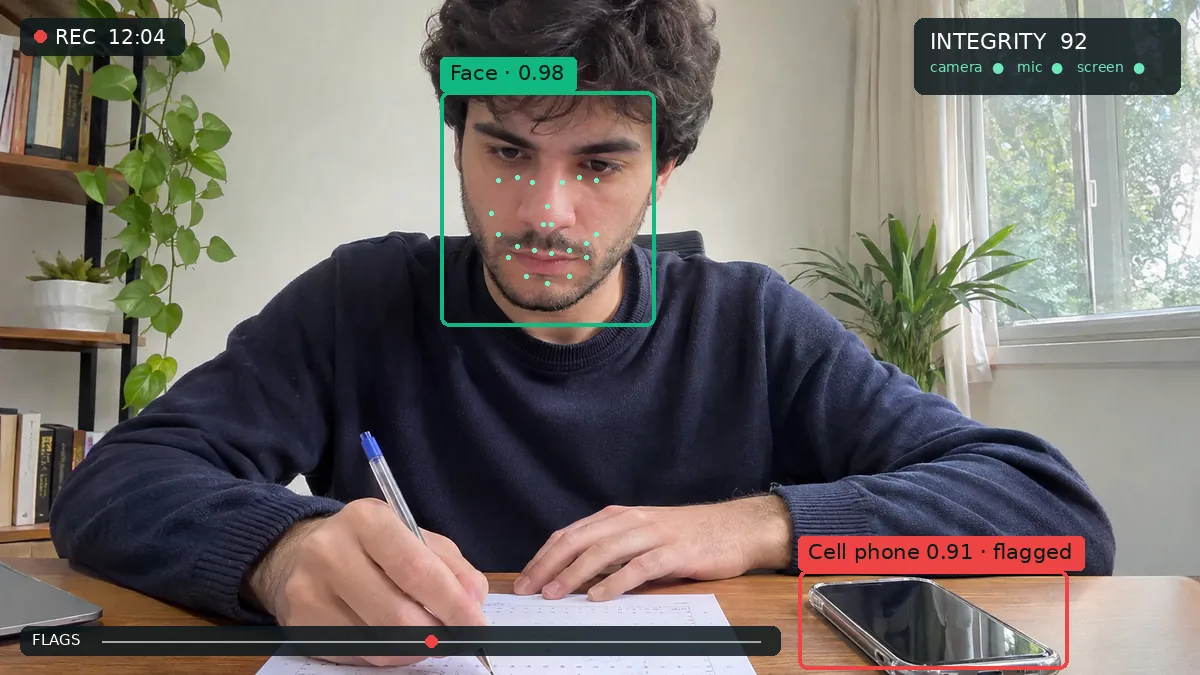
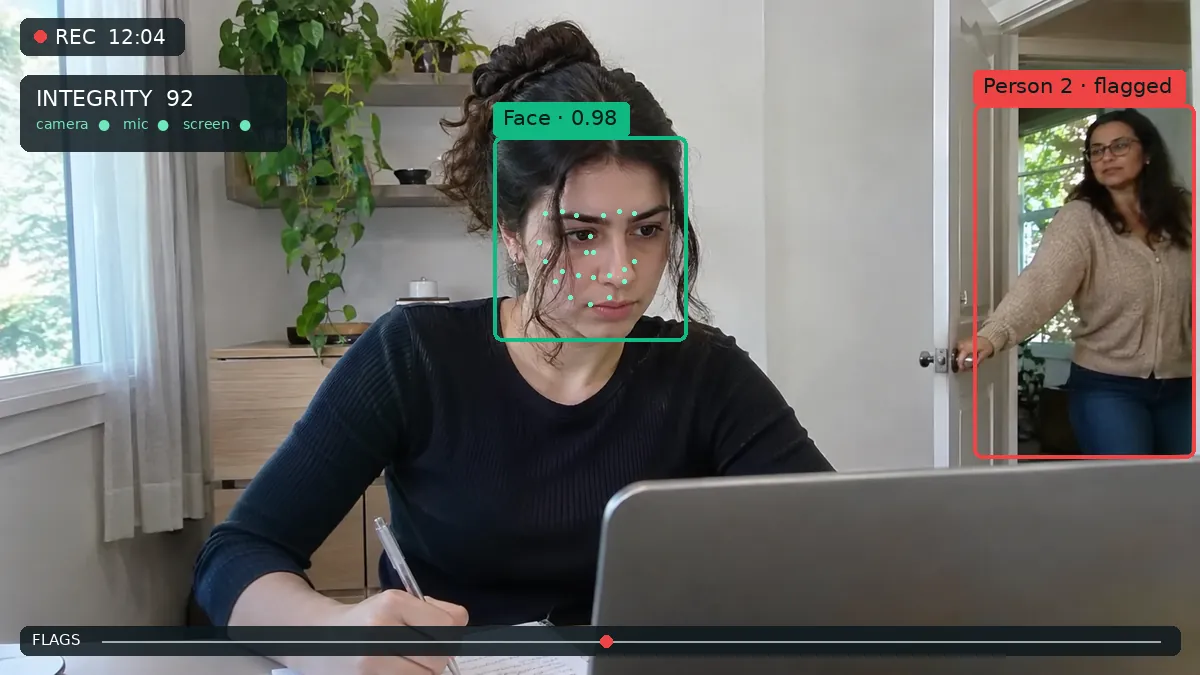
Small AI models run in the browser a few times per second. They look for faces, phones, books, extra people and voices. Nothing is streamed.
2. Evidence only
A small snapshot every 30 seconds, plus a few frames around each flag. A one-hour exam is a few megabytes.
3. AI review
A vision model looks at each flagged moment and dismisses obvious false alarms before anyone sees them.
4. A person decides
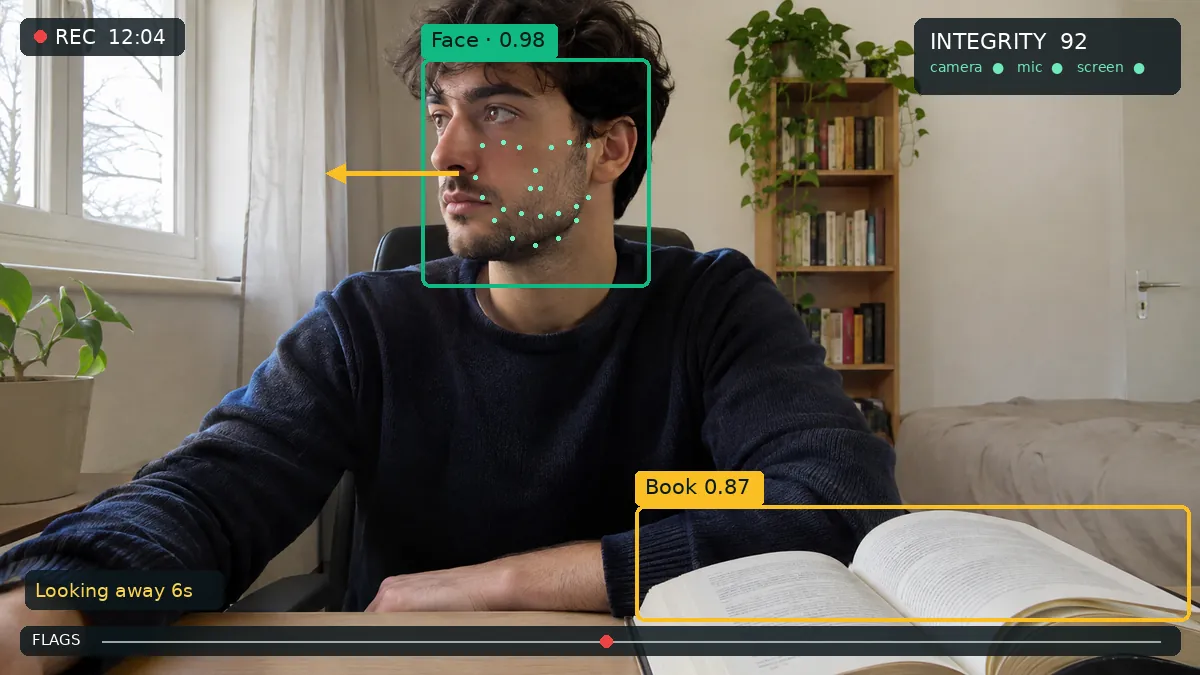
You see a timeline of flags with thumbnails and an integrity score. You confirm or dismiss. The grade is yours.
Pick a level, not thirty settings
Each test gets one integrity level. You can still fine-tune any check.
| Check | Off | Light | Standard | Strict |
|---|---|---|---|---|
| Tab and window switches | – | |||
| Fullscreen required | – | |||
| Copy and paste blocked and logged | – | |||
| Second monitor detection | – | |||
| Paste bursts and typing patterns | – | |||
| Camera: face, phone, book, person | – | – | ||
| Microphone: voice activity | – | – | ||
| AI review of flagged moments | – | – | ||
| ID and selfie check | – | – | – | |
| Room scan | – | – | – | |
| Screen sharing | – | – | – | |
| Phone as second camera | – | – | – | Optional |
| Secure mode desktop app | – | – | – | Optional |
Light works on phones. Standard needs a camera and microphone. Strict needs a laptop or desktop.
Everything the big proctoring tools check
Without a browser extension, an LMS requirement or a per-exam bill.
Face, gaze and extra people
Detects no face, more than one face and looking away for a long time, on the device.
Phones and books
Object detection spots a phone, a book or a second person in the camera view.
Voices
Voice activity detection notices someone talking during the exam.
Screen and browser
Fullscreen exits, tab switches, copy and paste, a second monitor and screen sharing for Strict tests.
ID and selfie
Candidates show an ID and take a selfie before starting. The AI compares them and a person confirms.
Room scan
A short 360-degree video of the room before the exam, reviewed only if needed.
Phone as a second camera
Candidates scan a QR code and place their phone to the side. It shows the desk and hands.
Secure mode
The FormRead desktop app opens the exam full screen and blocks other apps and remote desktops.
Built for the ChatGPT era
A camera cannot see a chatbot in another window. FormRead looks at how answers were written, and can ask the candidate about them.
Read the guide to stopping ChatGPT cheating- Paste detection Large pastes into an answer are blocked or logged, depending on the level.
- Typing patterns A long answer that appears in a few bursts, with no edits, is flagged for a look.
- AI oral follow-up After an essay, the AI asks one spoken question about what the candidate wrote and grades the reply. It is hard to defend an answer you did not write.
- Collusion report Pairs of candidates with unusually similar answers or essays are listed for review.
Privacy by design
- Candidates see a clear consent screen before anything starts.
- Video and audio are analyzed on the device. Only snapshots and flagged moments are uploaded.
- No face templates or biometric profiles are stored.
- Proctoring evidence is deleted after 30 days by default.
- Only the test creator and the people they share results with can see it.
- Accommodations per candidate, including a camera exemption.
What proctoring cannot do
- No proctoring tool catches everything. A helper out of camera view or a hidden earpiece can still go unseen.
- Light mode cannot see a phone. Use Standard or Strict when the stakes are high.
- Flags can be false alarms: poor lighting, a noisy home, or eye movements that are normal for some people. That is why a person always decides.
- Browser checks cannot block a second device. The phone camera and Secure mode narrow that gap.
- Good question design prevents more cheating than any camera.
Proctoring without the per-exam bill
Because the analysis runs on the candidate's device, proctoring costs us very little. So it is included in your plan.
Typical per-exam proctoring
≈ $3–9
Per exam, as reported by universities for automated proctoring. Live human proctoring usually costs more.
FormRead Online
Included
In every plan. AI review of flags uses a small amount of AI credits.
Explore FormRead Online
Prefer paper? Print it as a bubble sheet.
Choice questions can be printed as an answer sheet, scanned with a phone and graded by FormRead OMR. Paper and online results end up in the same report.
Frequently asked questions
Does FormRead record the whole exam on video?
No. The camera and microphone are analyzed on the candidate's device. FormRead uploads a small snapshot every 30 seconds and a few frames around each flagged moment. There is no continuous video stream.
Do candidates need to install anything?
No. Light, Standard and Strict all run in a normal browser. Only the optional Secure mode uses the free FormRead desktop app.
Does the AI decide who cheated?
No. The AI raises flags and can dismiss obvious false alarms, such as a pet walking by. A person reviews the evidence and decides. Flags never change a grade on their own.
How long is proctoring data kept?
Snapshots, flagged clips, ID photos and room scans are deleted automatically after 30 days. The test creator can delete them earlier.
Can I exempt a student from camera monitoring?
Yes. Accommodations are set per candidate: camera exemption, extra time or larger text. Exempted candidates still get the browser checks you choose.
What does it cost?
In-browser proctoring is included in every FormRead plan with no per-exam fee. AI review of flagged moments uses a small amount of AI credits.
Proctor your next exam without the per-exam fee
Create a free account, choose an integrity level and share the link.
No per-exam fee. Only AI grading, AI review and AI generation use AI credits.