Create a test once. Give it online, on paper or live.
Exams, quizzes, surveys and live polls with AI grading for written, spoken and video answers, and webcam proctoring that runs on the student's device.
- No per-exam fee
- No app or account for students
- Any phone or laptop

- question types, from multiple choice to video answers
- 30+
- integrity levels, from off to strict
- 4
- languages for teachers and students
- 10
- per-exam or per-student fees
- 0
01Create
Write it, generate it or import it
Start blank, from a template, from your notes with the AI generator, or by importing questions. Choose exam, quiz, survey or live poll.
AI test generator
Describe a topic or paste your notes and get a draft test with answers, distractors and rubrics you can edit.
30+ question types
From quick checks to essays, code and drawings.
- Multiple choice
- True or false
- Short answer
- Essay
- Numeric
- Formula
- Math
- Fill in the blanks
- Matching
- Ordering
- Categorize
- Hotspot
- Likert
- NPS
- Rating
- Slider
- Ranking
- File upload
- Drawing
- Code
- Audio answer
- Video answer
- Signature
- Word cloud
Audio and video answers
Students record in the browser. The AI transcribes the answer and grades it.
Different numbers for every student
Formula questions pick random values for each student, so a copied answer is a wrong answer.
Roster and accommodations
A personal link for every student, and extra time or a camera exemption for those who need it.
02Deliver
Online, on paper or live in the room
Same questions, same results page. Pick the delivery that fits the class, the exam hall or the meeting.

Online
Share a link, a QR code, a join code or personal invites. Candidates answer on a phone or laptop, with autosave and resume.
See the quiz maker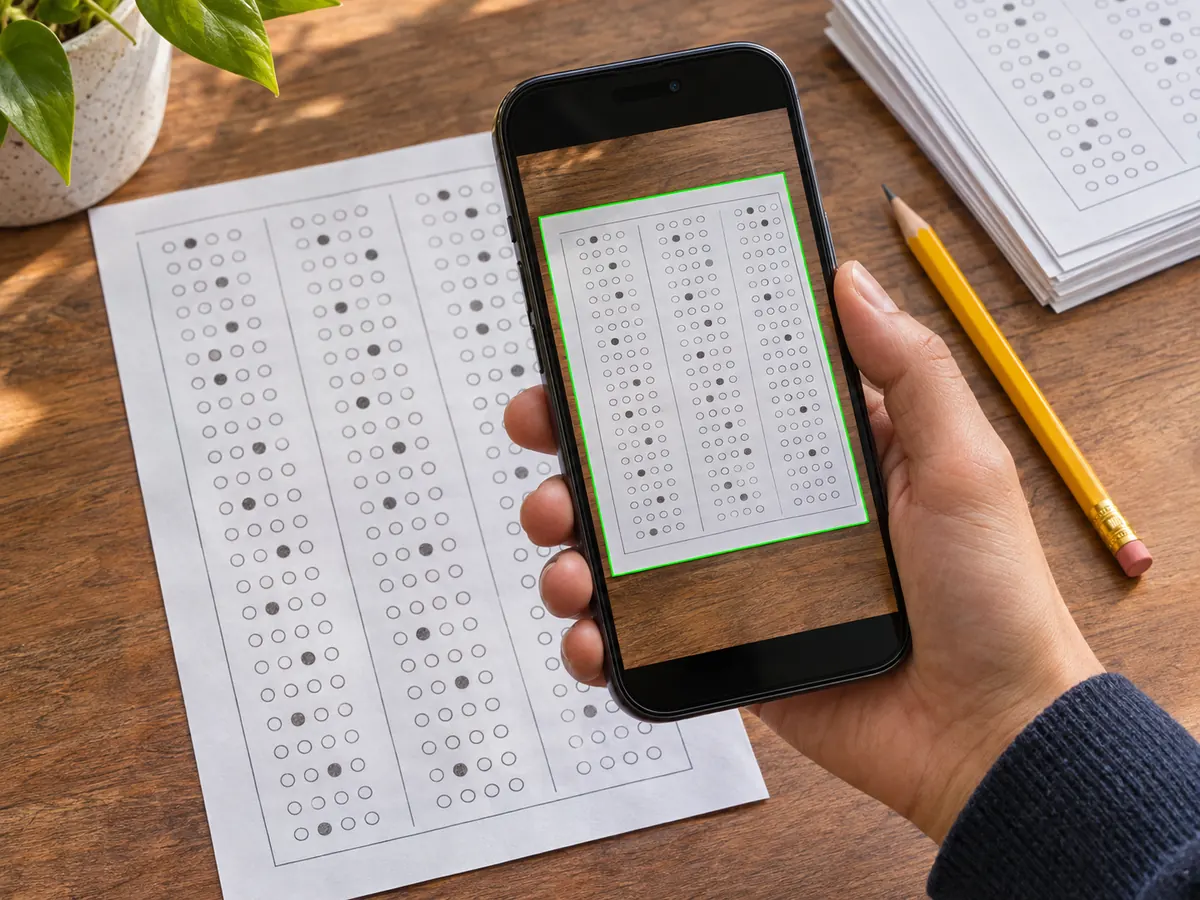
On paper
Print choice questions as a bubble sheet. Scan the stack with a phone or any scanner and FormRead grades it.
How paper grading works
Live in the room
Put a question on the screen and watch answers come in. Polls, word clouds, Q&A and quizzes with a leaderboard.
See live polls03AI proctoring
Proctoring that runs on the student's device
Video and audio are analyzed on the device. Only snapshots and flagged moments are uploaded.
- Nothing is streamed
- Small AI models look for faces, phones, books, extra people and voices right in the browser.
- Flags, never verdicts
- Every flag comes with evidence. A person decides, and flags never change a grade.
- No per-exam fee
- Camera proctoring is included. Only the optional AI review of flags uses AI credits.


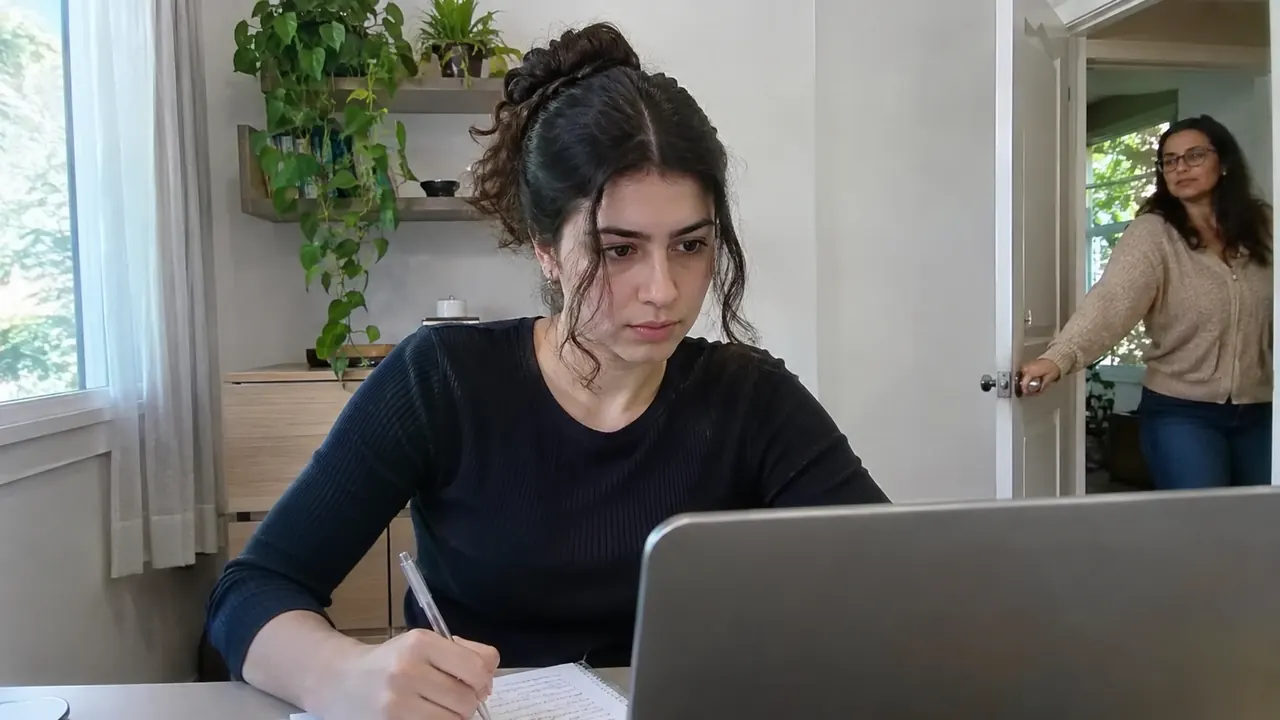
AI review: A phone is lying next to the answer sheet. Worth a look. An open book is on the desk and the candidate looked away for 6 seconds. A second person is standing in the doorway behind the candidate.
Four integrity levels, not thirty checkboxes
Pick one per test. Change any single check if you need to.
Off
Surveys and practice
- No checks. For surveys, practice quizzes and polls.
Light
Homework and quizzes
- Fullscreen, tab switch and copy-paste checks
- Typing and paste-burst patterns
Standard
Graded exams
- Fullscreen, tab switch and copy-paste checks
- Typing and paste-burst patterns
- Camera: face, phone, book and extra people
- Microphone voice detection
- AI review of flagged moments
Strict
High-stakes exams
- Fullscreen, tab switch and copy-paste checks
- Typing and paste-burst patterns
- Camera: face, phone, book and extra people
- Microphone voice detection
- AI review of flagged moments
- ID check and room scan
- Screen sharing
- Phone as a second camera, Secure mode (Optional)
04Grade
Essays, spoken and video answers, graded against your rubric
The AI scores each answer per criterion, explains the score and says how sure it is. You keep the final word.
- A score and a reason for every rubric criterion
- Unsure answers wait in a short review queue
- Require a human confirm for every AI grade, if you prefer
- An optional AI follow-up question checks that students understand their own answer
05Analyze
See which questions worked, not just who passed
Scores appear as people submit. Item analysis shows which questions were too hard, which ones told strong and weak students apart, and which answer choices confused the class.
- Difficulty, discrimination and distractor analysis
- Score distributions, grade bands and certificates
- Export to Excel or CSV in one click
Included in your plan. No per-exam fee.
Proctoring vendors often charge per exam. With FormRead, online tests and in-browser proctoring come with every plan, because the heavy work runs on the candidate's device.
- Unlimited online tests, surveys and live polls
- Light, Standard and Strict proctoring at no extra cost
- AI credits only for AI grading, AI flag review and AI generation
- Out of credits? Answers wait for a human. Candidates are never blocked.
FormRead Online
Included in every plan
It costs us almost nothing, because the AI runs on the student's device instead of our servers.
Other proctoring companies charge $3 to $9 per exam. Your cost with them:
$3,000 – $9,000
Estimate based on per-exam prices that universities report for one proctoring vendor. The optional AI review of flags uses AI credits.
How FormRead Online compares
Each of these tools is good at its own job. FormRead Online puts tests, surveys, live polls, proctoring and paper in one product.
| Tool | Best known for | Own test builder | Camera proctoring | Live polls | Paper bubble sheets | Proctoring cost |
|---|---|---|---|---|---|---|
| FormRead Online | Tests, surveys and polls, online or on paper | Yes | Yes, analyzed on the device | Yes | Yes | Included in every plan |
| Proctorio | Proctoring inside an LMS | Through your LMS | Yes | No | No | About $3 to $9 per exam, as reported by universities |
| Honorlock | Proctoring inside an LMS | Through your LMS | Yes | No | No | Quote-based |
| Respondus | Lockdown browser and webcam monitoring | Through your LMS | Yes | No | No | Institutional license |
| Google Forms | Free forms and simple quizzes | Yes | No | No | No | No camera proctoring |
| Typeform | Conversational forms and surveys | Yes | No | No | No | No camera proctoring |
| Kahoot | Game-based live quizzes | Yes | No | Yes | No | No camera proctoring |
| Mentimeter | Live presentations and polls | Yes | No | Yes | No | No camera proctoring |
Based on public product pages and university IT pages, November 2026. Products change, so check each vendor for current details. Names are trademarks of their owners.
Explore FormRead Online
Frequently asked questions
Is FormRead Online really included in my plan?
Yes. Online tests, surveys, live polls and in-browser proctoring are included in every FormRead plan, with no per-exam or per-candidate fee. Only AI work uses AI credits: AI grading of open answers, AI review of proctoring flags, transcription of audio and video answers, and AI test generation.
Do candidates need an account or an app?
No. Candidates open a link, scan a QR code or type a 6-digit join code in any modern browser. They only need a camera and microphone if you turn on camera proctoring. The optional Secure mode uses the free FormRead desktop app.
Can I give the same test on paper and online?
Yes. Choice questions can be printed as a bubble sheet, scanned with a phone and graded by FormRead OMR. Students who take it online and students who take it on paper end up in the same results.
How does AI grading of open answers work?
You write a rubric or a model answer. The AI scores each answer against it, explains the score and reports its confidence. Uncertain answers go to a short review queue, and you can require a human confirm for every AI grade.
Does the AI proctoring decide who cheated?
No. It raises flags with evidence and an integrity score. A person reviews them and decides. Flags never change a grade by themselves.
Which languages are supported?
The FormRead interface is available in many languages, and candidates can take a test in their own language. Right-to-left languages are supported.
Give your next test online, on paper, or both
Create a free account and publish your first test in a few minutes.
No per-exam fee. Only AI grading, AI review and AI generation use AI credits.